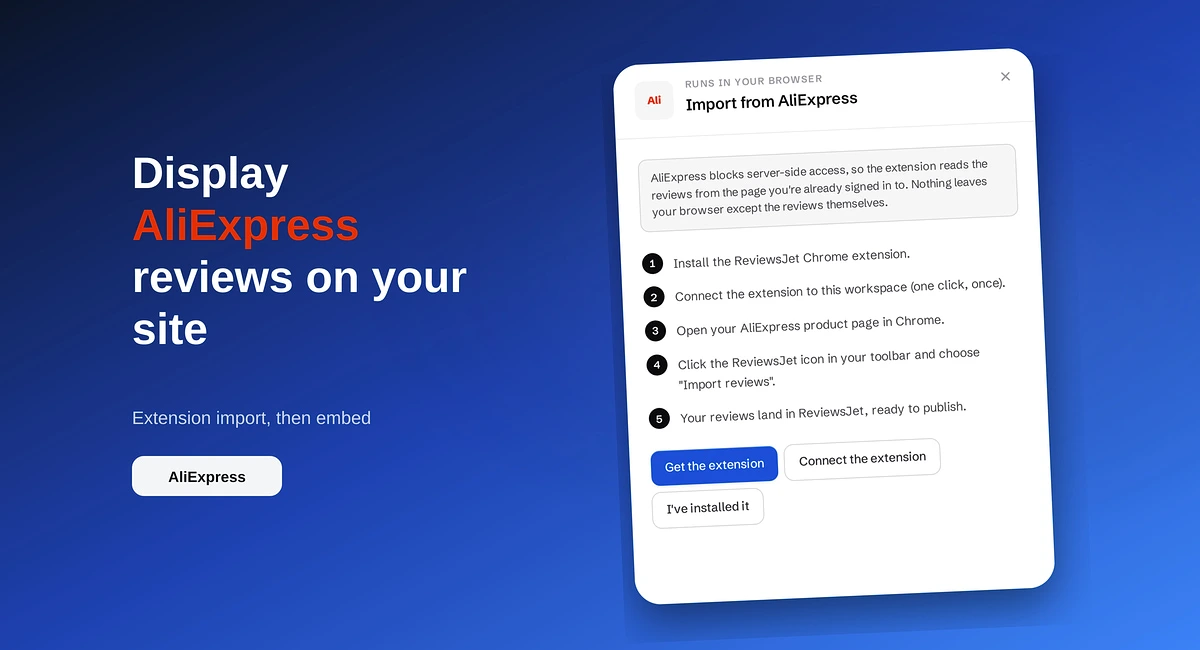
How to Display AliExpress Reviews on Your Site
Import AliExpress product reviews with the ReviewsJet Chrome extension, publish photo reviews, and embed a masonry widget on your site.
Use the ReviewsJet Chrome extension to bring Etsy shop reviews into your library, then embed a grid widget on your own site.
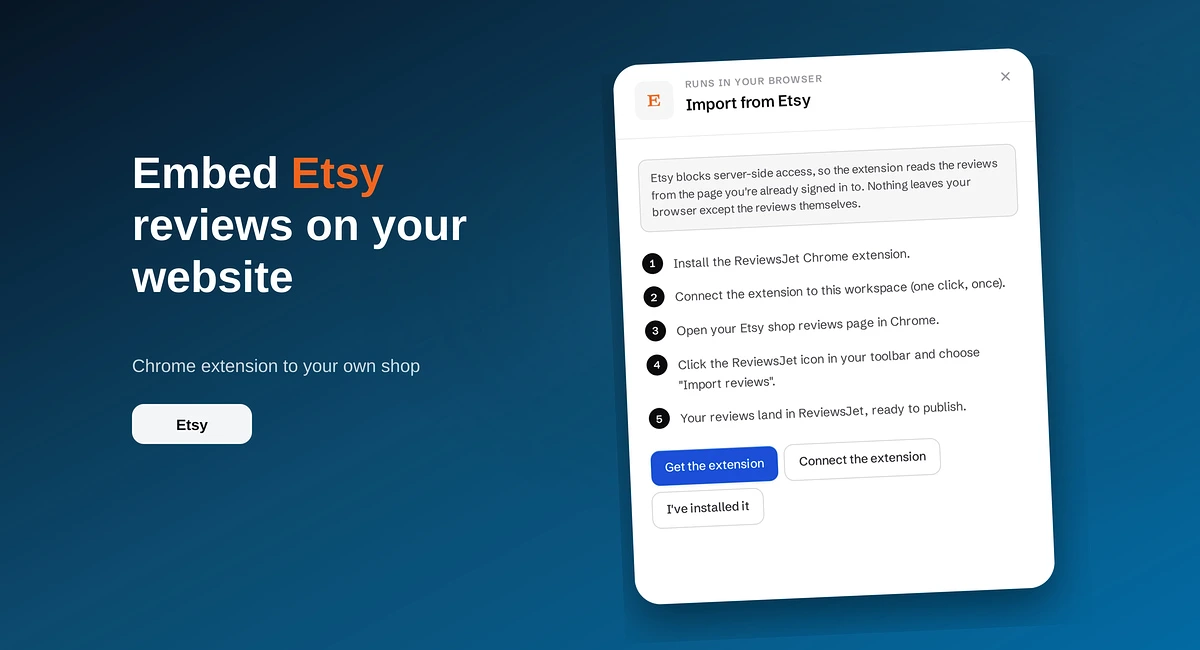
Etsy reviews sell for Etsy. On the shop you own, those same comments are often missing, so a first-time visitor sees an empty storefront even if you have years of five-star feedback on the marketplace.
ReviewsJet lets you bring Etsy shop reviews into one library, publish the ones you want, and show them with a grid (or another layout) on WordPress, Wix, Webflow, Squarespace, Pixpa, or HTML. Etsy uses the ReviewsJet Chrome extension. You do not paste a link and wait for a server fetch the way you do with Google or Airbnb. Widgets are unlimited on every plan. See pricing for published-review limits.
Marketplace reviews stay next to the marketplace checkout. Your own site needs the same proof beside your cart, your product photos, and your shipping story. Pulling reviews across closes that gap without inventing new testimonials.
Amazon sellers follow a similar extension path. If that is your other channel, see How to Show Amazon Ratings on Your Website.
Many makers sell in more than one place. A typical mix looks like this:
ReviewsJet is the publish layer. Extension sources and connect sources land in the same library, then the same widgets.
Install the ReviewsJet extension from the Chrome Web Store. In the ReviewsJet Collect screen, open Etsy and follow the on-screen steps. Sign in to Etsy, open your shop reviews page, and run the extension so reviews move into your library.
There is no automatic daily sync for Etsy. Run the extension again when you want newer reviews.
Open Reviews. Publish the comments that match the products and tone of your own shop. Leave the rest unpublished. Widgets only display published reviews, so your homepage stays curated.
Open Display and pick Grid for product pages or a shop homepage section. Preview, then use Get the code for your platform.
You can reuse the same published reviews in more than one widget. A grid on the product page and a slider in the footer can share the same library without importing twice.
If your own storefront still looks new while Etsy looks trusted, install the extension, pull your shop reviews into ReviewsJet, publish a short set, and embed a grid. Start free at app.reviewsjet.com. More on the seller flow sits on Etsy reviews.
Import the reviews your customers already left, choose the ones worth showing, and put them on your site. The free plan does not ask for a card.
Import AliExpress product reviews with the ReviewsJet Chrome extension, publish photo reviews, and embed a masonry widget on your site.

Add reviews to your website where people decide: homepage, product pages, services, and pricing. Build trust and sales with real customer proof.

Add a homepage Quote widget that shows one customer review as page typography, with a fresh line on each visit.