Skip to content

How to Add Reviews to Your Website for More Sales

Add reviews to your website to build trust, increase conversions, and show real customer feedback with text, video, and star ratings.

Felix Amouzou
How to Add Reviews to Website Pages and Turn More Visitors Into Customers

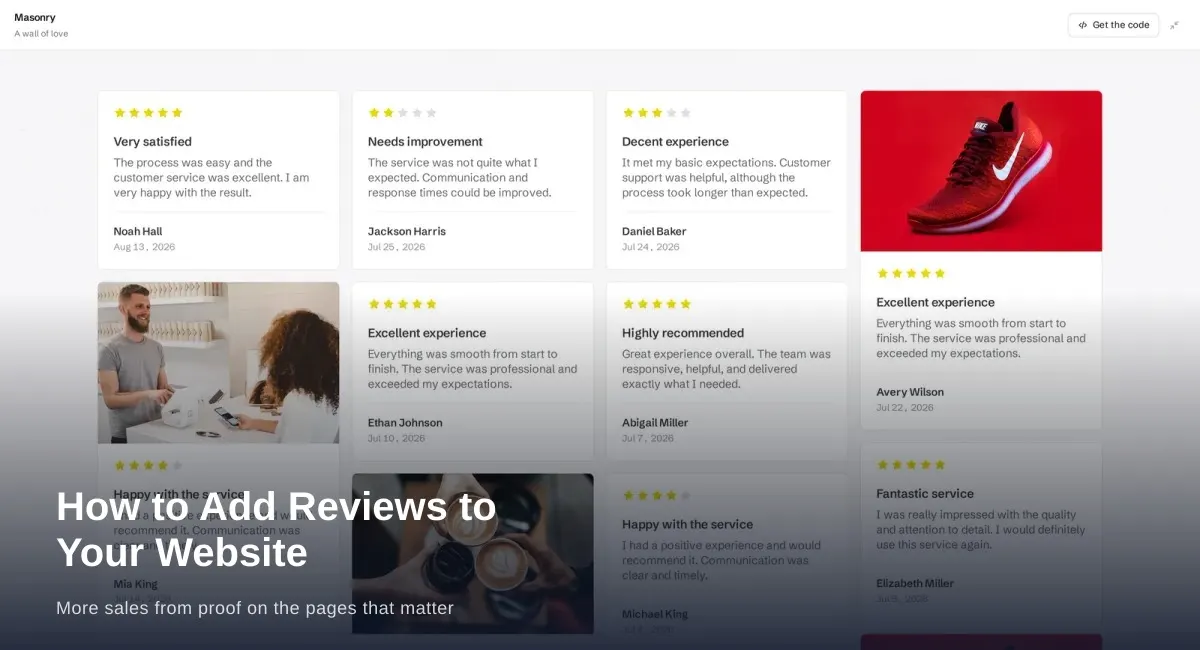
If you want to build trust faster, improve conversions, and make your website more convincing, one of the smartest things you can do is add reviews to website pages.

Customer reviews help visitors feel confident about your business. They show that real people have already bought from you, used your service, or trusted your brand. Instead of asking potential customers to believe your marketing, reviews let your existing customers do the talking.

Whether you run an ecommerce store, agency, SaaS company, local business, or service-based brand, learning how to add reviews to website pages properly can make a big difference in how people respond to your business online.

In this guide, you will learn why reviews matter, where to place them, how to display them effectively, what mistakes to avoid, and how to use them to increase trust and conversions.

Why It Is Important to Add Reviews to Website Pages

When someone visits your website for the first time, they usually have one question in mind:

Can I trust this business?

Your design, copy, and offer all matter, but customer reviews often answer that question faster than anything else.

When you add reviews to website pages, you create instant social proof. Instead of only saying your business is reliable, you show that real customers have already had a positive experience.

That matters because reviews help:

  • build trust quickly
  • reduce buyer hesitation
  • increase confidence in your offer
  • support conversion decisions
  • make your business feel more established
  • show real outcomes from real customers

For many businesses, trust is the missing piece between getting traffic and getting conversions. Reviews help close that gap.

What Does It Mean to Add Reviews to Website Pages?

To add reviews to website pages means displaying customer feedback directly on your own site rather than leaving it only on third-party platforms like Google, Yelp, or Trustpilot.

This can include:

  • text testimonials
  • star ratings
  • product reviews
  • service reviews
  • video testimonials
  • photo reviews
  • imported platform reviews
  • homepage review sections
  • dedicated testimonial pages

In simple terms, it means placing customer proof exactly where people are making decisions.

This is important because many visitors will not take the extra step to search for your reviews elsewhere. If they do not see enough proof on your site, they may hesitate or leave.

Benefits of Adding Reviews to Your Website

When you add reviews to website pages the right way, the impact goes far beyond appearance.

Build Trust With New Visitors

Reviews make your website feel more believable. A visitor may not fully trust what a business says about itself, but they are much more likely to trust what customers say.

Increase Website Conversions

Reviews can help people move from browsing to buying. A strong testimonial near a call to action can reduce last-minute doubt and help more visitors take action.

Strengthen Product and Service Pages

Product descriptions and service explanations are useful, but reviews add real-life perspective. They help people understand what it is actually like to buy from you.

Improve Decision Confidence

Many buyers are not looking for perfection. They are looking for reassurance. Reviews provide that reassurance at the exact moment it matters.

Support Your Brand Reputation

When customer feedback is displayed cleanly and consistently, your brand feels more trusted, transparent, and established.

Where to Add Reviews to Website Pages for the Best Results

Many businesses make the mistake of keeping reviews on one page only. A better approach is to place reviews across the site where they can support decisions.

Add Reviews to Homepage Sections

Your homepage is often the first impression people get of your business. Adding reviews here helps establish credibility immediately.

Good homepage placements include:

  • below the hero section
  • near your main call to action
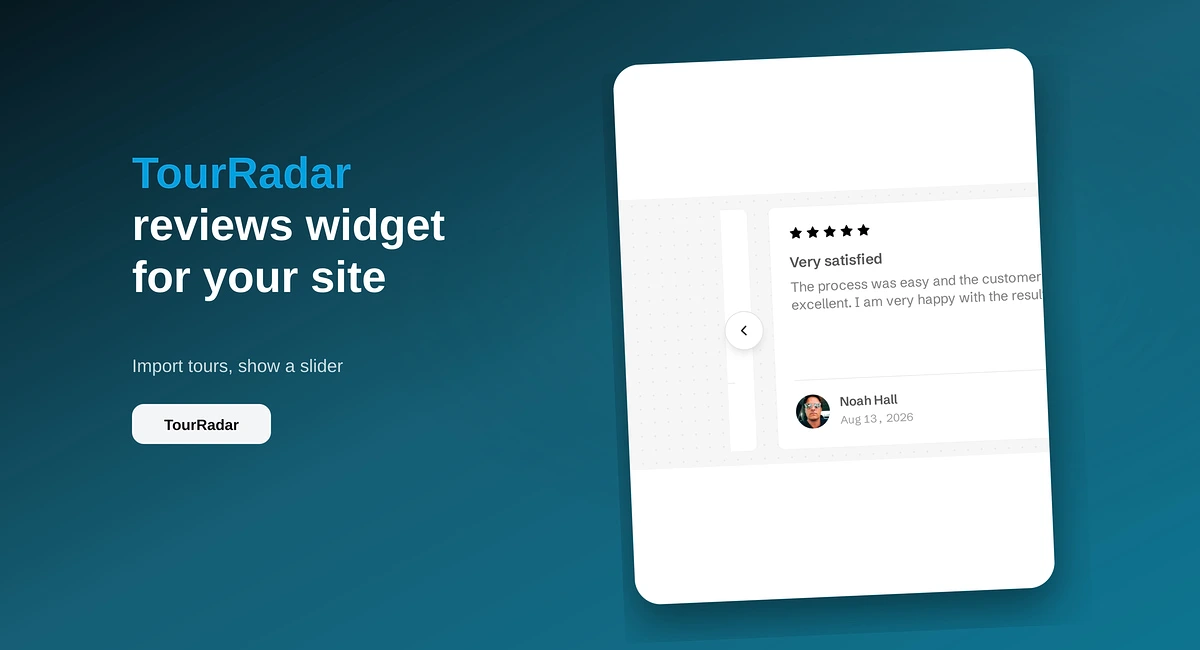
  • in a testimonial slider
  • in a trust section with star ratings
  • above footer conversion sections

You do not need to show every review on your homepage. A few strong, relevant reviews are usually enough to build confidence.

Add Reviews to Product Pages

If you run an online store, product pages are one of the most important places to add reviews to website content.

Product reviews help shoppers answer questions like:

  • Is the product good quality?
  • Does it work as expected?
  • Is it worth the price?
  • Are other buyers happy with it?

On product pages, include:

  • average star ratings
  • written customer reviews
  • photo reviews if possible
  • review sorting and filtering
  • most helpful reviews near the top

Product reviews can help reduce purchase anxiety and give people the confidence to buy.

Add Reviews to Service Pages

Service pages become much stronger when they include client feedback related to that exact service.

For example:

  • a web design page should show web design testimonials
  • a cleaning service page should show cleaning service reviews
  • a software page should show reviews from actual users of that feature or solution

Relevant reviews make the page more persuasive because they match the visitor’s exact interest.

Add Reviews to Landing Pages

Landing pages should feel highly targeted, and the reviews on them should match that same focus.

If your landing page is built for restaurants, show restaurant reviews. If it is built for agencies, show agency reviews. If it is promoting a specific feature, show reviews that mention that feature.

The more relevant the review, the stronger the impact.

Add Reviews Near Pricing and Checkout Pages

Visitors often hesitate near pricing tables and checkout steps. That is where a short, convincing review can help remove doubt.

A testimonial near pricing can reinforce:

  • value for money
  • fast results
  • ease of setup
  • responsive support
  • customer satisfaction

This kind of placement works especially well when the review addresses an objection the buyer may already have.

Best Types of Reviews to Add to a Website

Not every review format works the same way. A good website usually combines multiple types of review content.

Text Reviews

Text reviews are flexible and easy to display. They work well on homepages, service pages, landing pages, and pricing sections.

The best text reviews are specific. They mention what the customer used, what they liked, and what result they got.

Star Ratings

Star ratings offer quick visual proof. Visitors can understand them instantly, even before reading the full review.

They work especially well on:

  • product pages
  • category pages
  • homepage trust bars
  • summary sections

Video Testimonials

Video testimonials often feel more personal and more believable than plain text because visitors can see and hear the customer.

They are especially effective for:

  • high-ticket services
  • SaaS products
  • coaching offers
  • homepage trust sections
  • sales pages

Photo Reviews

Photo reviews are especially useful for ecommerce businesses because they show products in real life.

They help answer visual questions and make the experience feel more authentic.

Imported Reviews From Third-Party Platforms

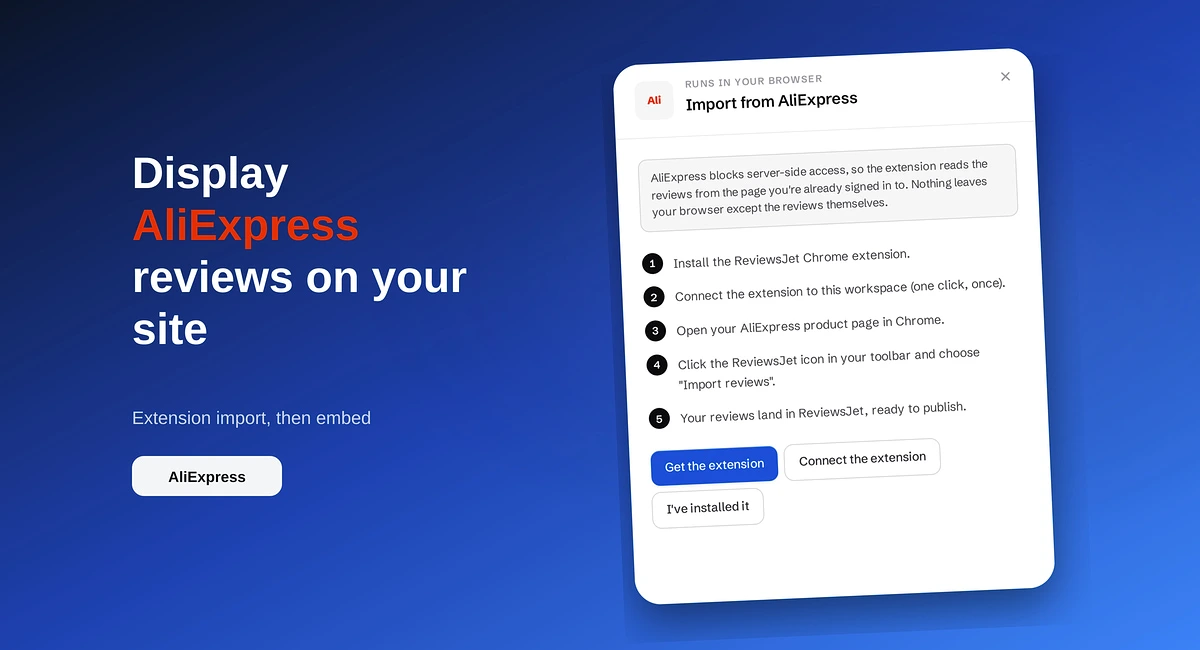
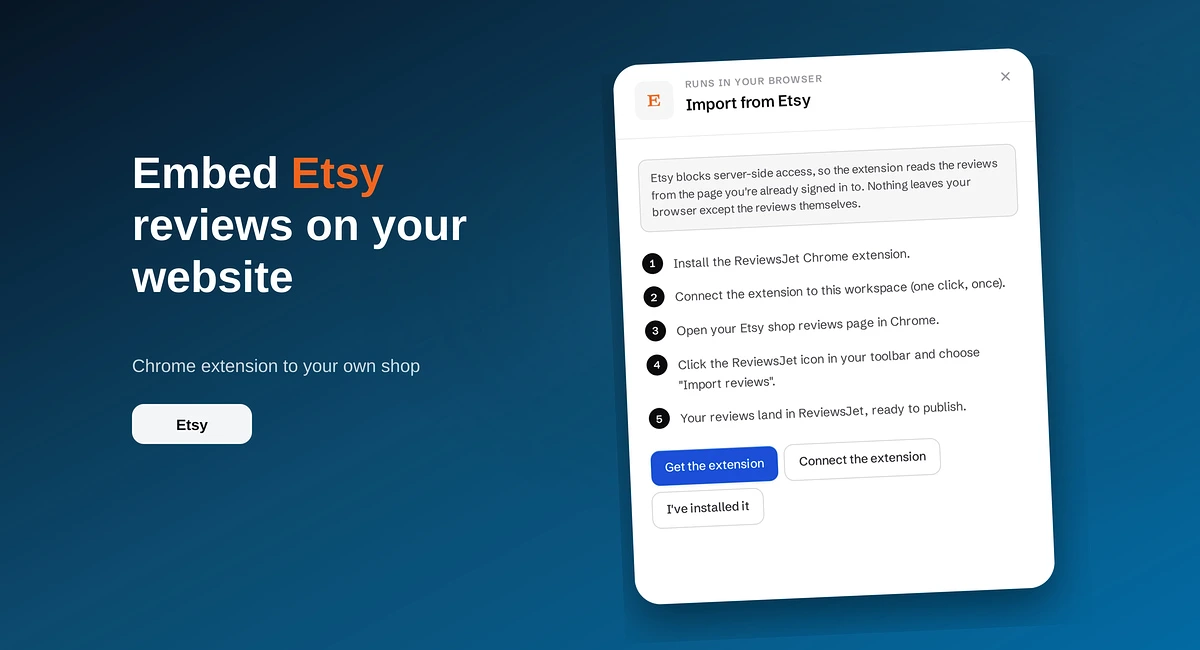
If your business already has reviews on platforms like Google, Trustpilot, Yelp, Airbnb, or TripAdvisor, bringing them onto your website can make your site much more persuasive.

This is one of the fastest ways to strengthen trust because you are using proof you have already earned elsewhere.

How to Add Reviews to Website Pages the Right Way

It is not enough to simply place a few quotes on your site. The way you present reviews matters a lot.

Use Real and Specific Reviews

Strong reviews usually include real details. Generic praise is fine, but detailed reviews are far more convincing.

A useful review often mentions:

  • what the customer bought or used
  • what problem they had
  • what result they got
  • why they recommend your business

For example, “Great service” is okay.

But “We added their review widget to our homepage in minutes and it instantly made the site feel more trustworthy” is much stronger.

Match Reviews to the Page

A homepage can use general praise, but a product page should show product reviews, and a service page should show service-specific testimonials.

Matching review content to page intent makes your site more persuasive.

Keep Review Design Clean and Easy to Read

Your reviews should be visually easy to scan.

That means using:

  • clear spacing
  • readable font sizes
  • simple layouts
  • consistent styling
  • mobile-friendly cards or sections

Avoid overcrowded review sections or designs that make testimonials feel fake or overly decorative.

Show Variety

Do not display ten reviews that all say the same thing.

A stronger collection includes different themes such as:

  • quality
  • support
  • ease of use
  • speed
  • results
  • trustworthiness
  • value

Variety helps visitors find the kind of reassurance they personally need.

Keep Reviews Fresh

Fresh reviews feel more believable. If the feedback on your site feels outdated, visitors may wonder whether your business still delivers the same quality today.

Whenever possible, keep new reviews flowing into your site regularly.

Common Mistakes to Avoid When You Add Reviews to Website Pages

Even strong customer feedback can lose impact if it is used poorly.

Only Showing Reviews on One Page

A dedicated testimonial page is useful, but it should not be the only place reviews appear. Place them across the site where trust matters most.

Using Reviews With No Context

Anonymous praise without a name, role, or business can feel weak. Even adding a first name and small detail can make a review feel more real.

Displaying Only Vague Praise

The most persuasive reviews are often the ones that mention a specific benefit or result.

Making Reviews Hard to Read

Walls of text, poor formatting, and weak mobile layouts can reduce the value of otherwise great reviews.

Letting Reviews Go Stale

Old reviews can make a website feel neglected. Keep featured reviews updated over time.

Over-Editing Customer Words

Light editing is fine for clarity, but removing the customer’s real voice can make the review feel artificial.

SEO Benefits of Adding Reviews to Website Pages

Adding reviews can support SEO when done naturally and helpfully.

When you add reviews to website pages, you often:

  • add relevant user-generated content
  • increase page depth
  • improve engagement
  • strengthen trust signals
  • make product and service pages more useful

Reviews can also naturally include relevant terms, locations, use cases, and product names that strengthen page relevance.

That said, reviews should be added for people first. Do not force keywords into them unnaturally. The goal is credibility and usefulness.

How Reviews Influence Buying Decisions

Reviews help people feel safer about taking the next step.

They work because they provide:

Social Proof

People are more likely to trust a business when they see that others already have.

Risk Reduction

Reviews reduce uncertainty around quality, reliability, and results.

Outcome Visibility

A good review helps visitors picture what success looks like after buying.

Momentum

At the point of decision, the right testimonial can push someone from hesitation to action.

This is especially valuable for smaller or newer brands that still need to build credibility.

Best Practices for Review Placement and Display

If you want maximum impact, do not treat reviews like decoration. Treat them like conversion assets.

Place Strong Reviews Near Calls to Action

A testimonial next to “Start Free Trial,” “Buy Now,” or “Book a Demo” can improve confidence exactly where it matters.

Mix Short Reviews and Detailed Reviews

Short reviews are good for quick trust. Detailed reviews help visitors who want more depth.

Use Review Summaries

A short summary such as “Rated 4.9/5 by hundreds of customers” can help visitors understand the big picture fast.

Highlight Results

Reviews that mention outcomes tend to perform better than reviews that only offer general praise.

Examples of useful outcomes include:

  • saved time
  • improved trust
  • increased sales
  • easier setup
  • better support experience
  • faster decision-making

Spread Reviews Across the Website

Do not hide reviews at the bottom of one page. Use them throughout the customer journey.

Should You Add Google, Trustpilot, Yelp, or Other Platform Reviews to Your Website?

Yes, in most cases, this is a smart strategy.

When you bring trusted third-party reviews onto your site, visitors feel they are seeing proof that exists outside your own marketing.

This is especially useful for:

  • local businesses
  • hospitality brands
  • agencies
  • online stores
  • SaaS products
  • service providers

If people already trust those platforms, displaying those reviews on your website helps transfer some of that trust to your own pages.

How to Collect More Reviews Before Adding Them to Your Website

Before you can display strong reviews, you need a steady system for collecting them.

Some practical ways to get more reviews include:

  • asking after a good customer experience
  • sending review request emails
  • using a shareable review form
  • guiding customers with simple questions
  • collecting text, photo, and video reviews
  • following up politely when needed

The easier you make the process, the more likely customers are to leave useful, specific feedback.

Add Reviews to Website Pages With a Better System

Manually copying and pasting reviews can work at first, but it quickly becomes slow and hard to manage.

A better system helps you:

  • collect reviews consistently
  • import reviews from other platforms
  • organize testimonials
  • display them beautifully
  • keep them updated across your site

This is especially important if you want your website reviews to stay fresh and relevant without a lot of manual work.

Final Thoughts on How to Add Reviews to Website Pages

If your website is getting visitors but not converting as well as it should, trust may be the missing piece.

One of the most effective ways to improve trust is to add reviews to website pages throughout the customer journey.

Reviews help people believe your claims.

They reduce hesitation.

They support decisions.

They make your business feel proven.

And when placed well, they can directly help you turn more traffic into leads and sales.

So whether you run a store, service business, agency, or software product, now is a great time to make your customer feedback work harder for your business.

Add Reviews to Website Pages With ReviewsJet

If you want a simple way to collect, import, manage, and display reviews, ReviewsJet helps you add reviews to website pages without the usual hassle.

With ReviewsJet, you can turn customer feedback into trust-building content across your website, whether you want to show testimonials, imported reviews, star ratings, or video reviews.

Instead of leaving your best proof scattered across different platforms, you can bring it together and present it where it actually helps conversions.

  • Social Proof
  • Small Business Growth

Reading about it is the slow way.

Import the reviews your customers already left, choose the ones worth showing, and put them on your site. The free plan does not ask for a card.

Read next