How to Display AliExpress Reviews on Your Site
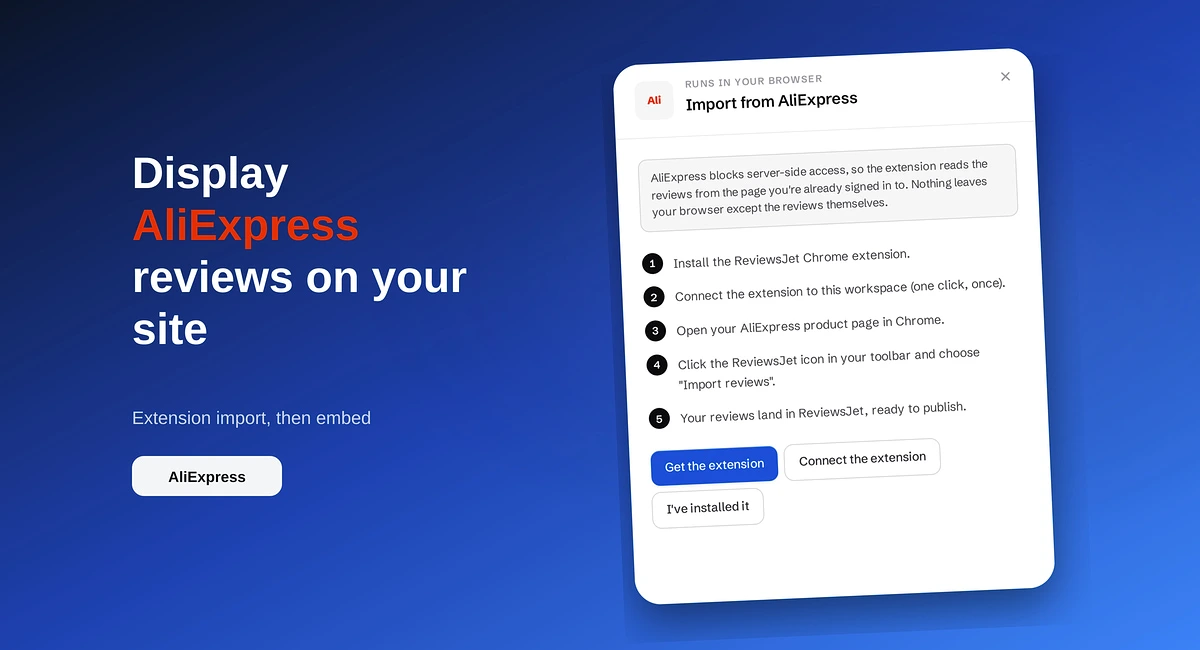
Import AliExpress product reviews with the ReviewsJet Chrome extension, publish photo reviews, and embed a masonry widget on your site.
Compare Webflow review widgets by sources, layouts, moderation, and price. See where ReviewsJet fits for embeds that match your site.

Picking a review widget for Webflow comes down to three jobs: pull reviews in, control what shows, and embed something that still looks like your site. Native embeds and single-source Google widgets cover parts of that. Multi-source tools cover more. ReviewsJet sits in the multi-source group with modern layouts and pricing that stays readable for small shops.
Webflow already gives you design control. The widget should not fight that. A strong pick lets you:
If a tool fails two of those, it is rarely “best,” even if the demo looks polished.
You can paste a Google Maps iframe or store review text in a CMS collection. That keeps everything inside Webflow. The tradeoff is maintenance. New reviews mean manual updates, and the look is often stuck to whatever the iframe allows.
Use this path when you only need a handful of static quotes and you are fine updating them yourself.
These tools focus on Google Business Profile reviews and a fast embed. They are usually simpler to start. They fall short when your reputation also lives on Yelp, TripAdvisor, Airbnb, or Trustpilot, or when you want one widget that mixes those sources.
Use this path when Google is your only review channel and you want something live quickly.
These tools collect from several platforms, let you choose what to publish, and give you embeddable widgets. ReviewsJet belongs here. You connect sources, publish what you want on the site, then place a Webflow embed from Get the code.
When you compare tools, score them on:
Competitor list prices change often, so treat public pricing pages as the source of truth. What stays stable is the criteria above.
Sources. Connect Google, Yelp, TripAdvisor, Airbnb, and Trustpilot with a public page URL. For Etsy, AliExpress, Amazon, and TourRadar, use the Chrome extension while signed in. You can also add reviews manually.
Publish control. Importing is not the same as publishing. Widgets only show what you publish, so your Webflow page stays intentional.
Webflow install. Open Display, pick a layout, click Get the code, choose Webflow, and paste into an Embed element. No custom code skills required for the basic path.
Layouts. A slider works above the fold. Grid and masonry fit a reviews section. A popup keeps proof available without redesigning the page. Widgets are unlimited on Free, Professional, and Advanced.
Pricing. Free is $0 (5 published reviews, 50 requests/mo, 1 source, 1 form). Professional is $7.99/mo or $79.99/yr (150 published, 250 requests, 2 sources, 2 forms). Advanced is $19.99/mo or $199.99/yr (1000 published, 5000 requests, unlimited sources and forms). There is a 14-day trial on paid plans. Full detail stays on pricing.
If you already run a Webflow marketing site and your reviews live in more than one place, start by connecting Google, publish a short set, and test a slider on a high-intent page. You can expand sources later without ripping out the embed. For Google-only detail, use the Webflow Google reviews guide. For broader collect-and-display setup, use the Webflow review management guide.
Import the reviews your customers already left, choose the ones worth showing, and put them on your site. The free plan does not ask for a card.
Import AliExpress product reviews with the ReviewsJet Chrome extension, publish photo reviews, and embed a masonry widget on your site.
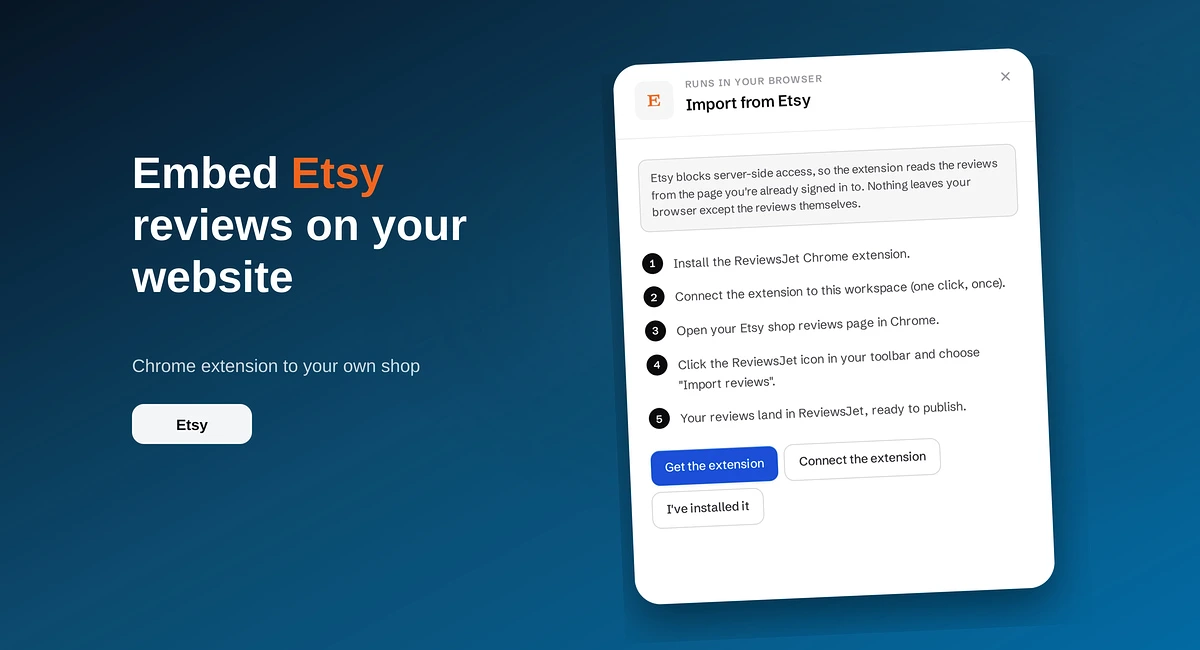
Use the ReviewsJet Chrome extension to bring Etsy shop reviews into your library, then embed a grid widget on your own site.

Add reviews to your website where people decide: homepage, product pages, services, and pricing. Build trust and sales with real customer proof.